The ceiling plan assumed an empty room
Lighting gets designed before furniture is placed, against an open floor with clear sightlines from every fixture to every surface. Then the furniture arrives and puts obstructions in the way.
Overhead storage shelves shade the surface directly below them, which is exactly where somebody writes. Panel systems and privacy screens block light at an angle. Monitors, especially dual monitors on arms, cast shadows across the keyboard area. Private offices with one fixture and a desk against the wall end up lit from behind the occupant.
The result is a floor that measures fine in the middle of a circulation path and poorly at half the work surfaces. Nobody files a ticket about it. People squint, get headaches by three o'clock, and assume that is what offices feel like.
Adding ceiling fixtures is the expensive answer and in leased space often not available. Task lighting at the workstation is the practical one, and it is furniture scope rather than electrical scope, which means it can happen after occupancy without a permit.
How much light, and what kind
A few specifications carry most of the outcome, and they are simple enough to hold a vendor to.
Light level. General office work is commonly designed to roughly 300 to 500 lux at the work surface, with the higher end for detailed work, drawings, or reading printed material. Older eyes need meaningfully more than younger ones for the same task, which is worth remembering on a floor with a wide age range. A task light is there to make up the difference between what the ceiling delivers and what the task needs, not to light the whole room again.
Color temperature. Somewhere between 3500K and 4000K reads as neutral and works alongside most ceiling lighting. Warmer than that feels residential and makes paper look yellow. Cooler than about 5000K reads harsh in an interior and clashes visibly with warmer overheads. Matching the overheads matters more than the exact number, because two different color temperatures in one field of view is more noticeable than either alone.
Color rendering. A CRI of 80 or better is a reasonable floor, and 90 or better is worth specifying anywhere finishes, fabrics or print colors are being judged. Design studios and any space where product is evaluated should not compromise here.
Dimming. The single most valuable feature. Light needs vary by person, by task and by time of day, and a fixed-output fixture will be too bright for somebody. Dimmable task lights get used. Non-dimmable ones get unplugged.
Glare control. A fixture that puts a visible bright source in someone's eye line, or a hot reflection on a screen, will be turned off no matter how good the numbers are. Look for a shielded source, an asymmetric distribution that throws light forward onto the surface rather than out at the occupant, and a diffuser rather than bare LEDs.
Fixture types and where each fits
The right choice usually follows the furniture rather than a preference.
Clamp-mounted or grommet-mounted articulating lights. The general purpose answer for a benching or open workstation. They attach without tools, move with the desk, aim where the work is, and cost little. Specify one with a real joint rather than a friction hinge that drifts.
Under-shelf or under-bin linear fixtures. The right answer wherever overhead storage exists, because they solve the shadow the storage created. Mount them toward the front edge of the shelf rather than the back, or they light the wall and not the surface.
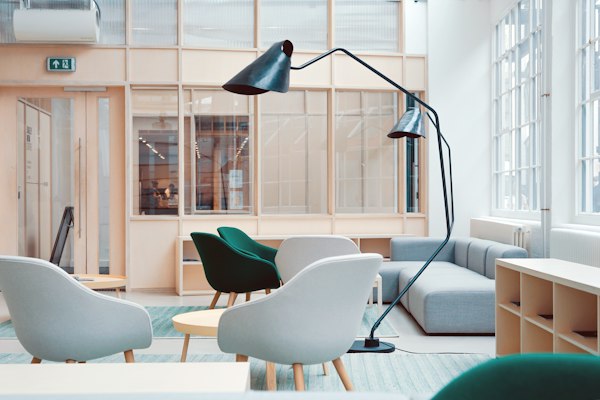
Freestanding floor lamps with indirect and direct output. Useful in private offices and in ancillary areas where there is no good mounting point and where the room reads better with softer light. They also raise ambient levels in a space the ceiling underserves.
Monitor-mounted light bars. Increasingly common, genuinely good at lighting a keyboard without putting glare on the screen, and they use no desk space. Check that the arm and monitor combination can carry one.
Integrated lighting in the furniture. Some benching and panel systems carry lighting in the spine or on a rail, powered from the same feed as the outlets. On a new floor this is the tidiest version, with no cords and nothing to lose, and it should be decided with the furniture rather than after.
Power is the constraint on all of these. A task light needs an outlet within reach of where it mounts, which is one more reason to settle power at the desk while the furniture layout is still being drawn.
Rolling it out without buying two hundred of the wrong thing
Task lighting is a small enough purchase that it tends to get bought carelessly, and large enough across a floor to waste real money.
Measure before specifying. A light meter, or a phone app for a rough read, across a sample of workstations at different times of day tells you where the problem actually is. It is frequently a subset of the floor rather than all of it, and the fix is correspondingly smaller.
Pilot two or three fixtures with real people for two weeks. Preference here is genuinely individual, and the fixture that wins is rarely the one that looked best in a catalog. Watch which ones are still on at the end of the pilot.
Standardize on one or two models. A floor with eleven different task lights is a maintenance and aesthetic problem, and it means nobody negotiated a quantity price.
Budget for the ones people will ask for later. Task lighting is a common accommodation request, and holding a small stock means saying yes in a day.
Check the ceiling before spending on the desk. If a whole zone is underlit because a fixture is out, a lamp has aged, or a lighting control is set wrong, fix that first. A task light is the wrong tool for a maintenance problem.
Bring a floor plan and the lighting drawing to the Hooksett showroom and see the fixtures on an actual work surface under an actual ceiling. Specifying light from a photograph is how offices end up with glare.